 USA
USA Mexico
 Canada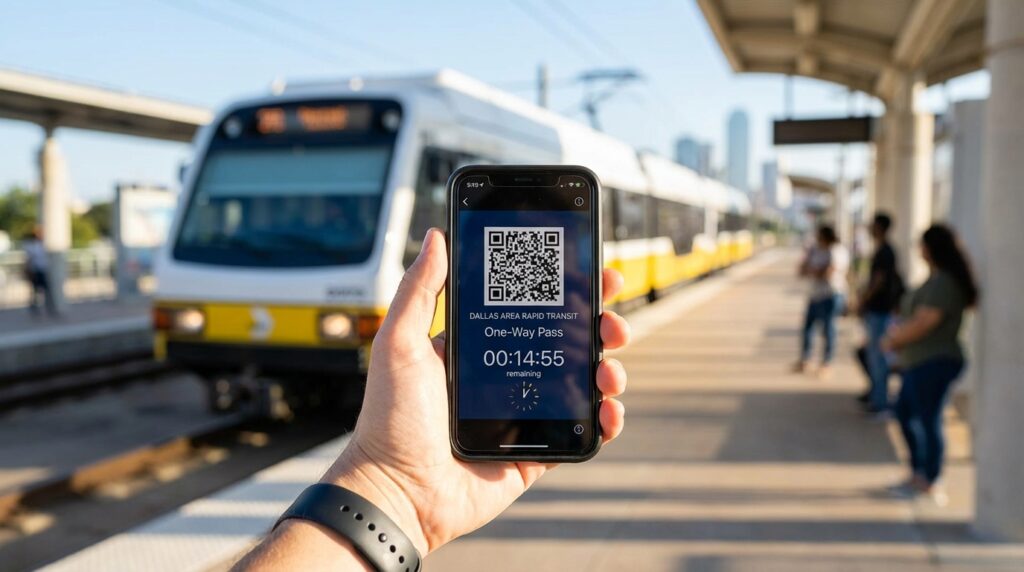
Have you ever stared out the window of a gridlocked taxi, watching the minutes tick away while a passenger train effortlessly glides past you? It is an incredibly frustrating feeling. When you travel to a massive metropolitan area, getting stuck in traffic feels like a rite of passage. But it absolutely does not have to be your reality.
You can bypass the traffic completely. By turning your smartphone into a digital transit pass, navigating the Dallas Area Rapid Transit system becomes a straightforward and totally stress-free experience. Let us dive into exactly how you can master the DART system, avoid insane rideshare surges, and make it to the match with plenty of time to spare.
Beating the Ridiculous Rideshare Surge Pricing
When 80,000 screaming football fans exit a massive stadium in Arlington at the same moment, rideshare apps completely lose their minds. The algorithms sense the overwhelming demand and instantly crank the prices up to astronomical levels. A ride that normally costs thirty dollars can easily skyrocket to well over a hundred and fifty dollars in a matter of minutes. Add in the chaotic wait times and the gridlocked parking lots, and you are looking at a miserable end to a great game day. Riding the public transit system shields you from this digital extortion entirely. The fare remains the same, no matter how many people are trying to get home.
The Magic of the Official GoPass Application
You do not need to stand in a long line at a physical ticket vending machine, fumbling with strange currency. The official GoPass app is the absolute must-have tool for your Texas trip. Available completely free on both iOS and Android platforms, this application acts as your personal command center. It is a ticket machine, a real-time trip planner, and a live transit tracker all brilliantly rolled into one simple interface. It places the entire power of the Dallas transit network directly into the palm of your hand.
Setting Up Your Digital Transit Wallet Before You Travel
Preparation is everything. You would never show up to a massive football match without buying your tickets first. You should treat your transit planning with the same level of respect. Do not wait until you are standing on a hot train platform to figure out how the app works.

Adding Your Preferred Payment Methods
Next, you need to fund your digital wallet. The app seamlessly integrates with modern payment systems. You can easily and securely link your major credit or debit cards, or use Apple Pay for incredibly fast transactions. What if you prefer to use cash while traveling to avoid international card fees? The GoPass app has a brilliant feature for that. You can generate a unique barcode on your screen and take it to hundreds of local retail locations around Dallas. The cashier scans your phone, you hand them cash, and the funds instantly appear in your app. It is a perfect solution for international travelers.
Buying and Managing Your Digital Tickets
Once your account is loaded and ready, buying a ticket takes exactly three taps on your screen. But you need to know which ticket to buy, as the Dallas transit map is divided into different zones and services.
Choosing the Right Transit Pass for Game Day
For most tourists attending the 2026 tournament, the standard Local Day Pass is going to be your best friend. It gives you unlimited rides on all DART light rail trains and local buses until the early hours of the following morning. However, if your journey requires crossing into Fort Worth or using the Trinity Railway Express, you will need to purchase a Regional Pass. These multi-day regional passes are golden tickets. They work seamlessly across DART, Trinity Metro, and DCTA services, allowing you to bounce around the entire metroplex without ever worrying about fare boundaries.
Activating Your Pass at the Right Moment
Here is a crucial detail that catches many tourists off guard. Buying the ticket is only step one. You actually have to activate it before you step onto the train or the bus. When you see your train approaching the platform, tap the activate button in your app wallet. The screen will display a dynamic barcode or a specialized QR code alongside a ticking timer. If a transit police officer or a bus operator asks for your fare, you flash your glowing screen. It is fast, efficient, and entirely paperless.
Mastering the Massive Arlington Stadium Route
Getting to the major stadiums in the Arlington entertainment district requires a specific strategy. Arlington sits right between Dallas and Fort Worth, meaning the standard light rail lines do not directly service it. But do not panic. The GoPass app handles this transfer beautifully.
The Trinity Railway Express Strategy
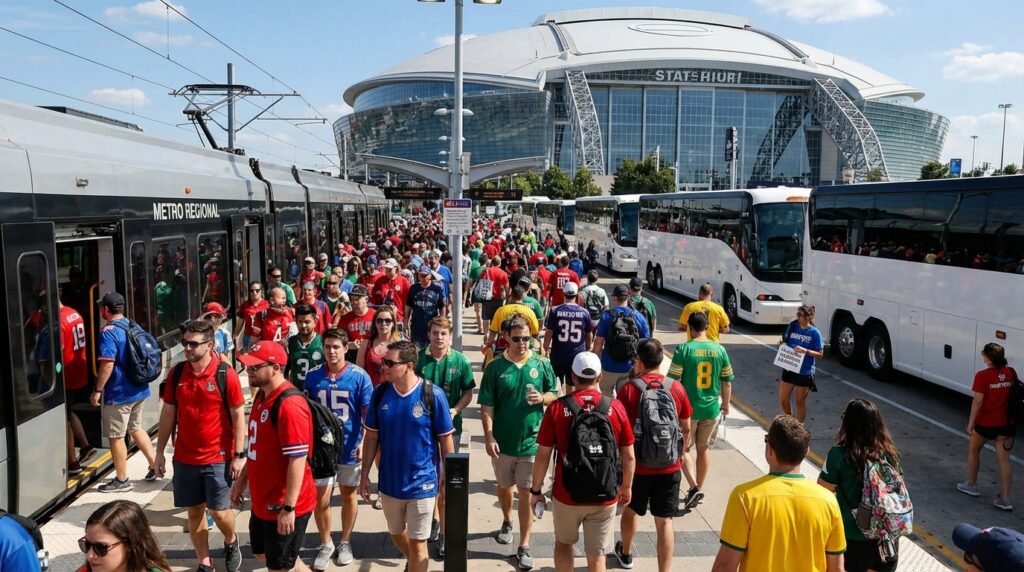
For massive stadium events, your primary route will likely involve the Trinity Railway Express. This heavy commuter train runs right down the middle of the metroplex. You will board the train in downtown Dallas and ride it west toward the CentrePort Station. The GoPass trip planner will tell you exactly which platform to stand on and exactly what time the train departs.
Catching the Connecting Shuttle Buses
Once you step off the train at CentrePort Station, the second phase of your journey begins. During major events, the transit authorities deploy fleets of complimentary charter buses directly from this station to the stadium gates. The app integrates these connections into your live route. You step off the train, follow the signs to the massive line of waiting buses, and enjoy a comfortable, air-conditioned ride right to the front door of the venue.
Navigating Like a Seasoned Dallas Local
Having a ticket is great, but knowing exactly where you are going is even better. The GoPass application is packed with modern features that make navigating a foreign city feel incredibly easy.
Using the Live Journey Mapping Feature
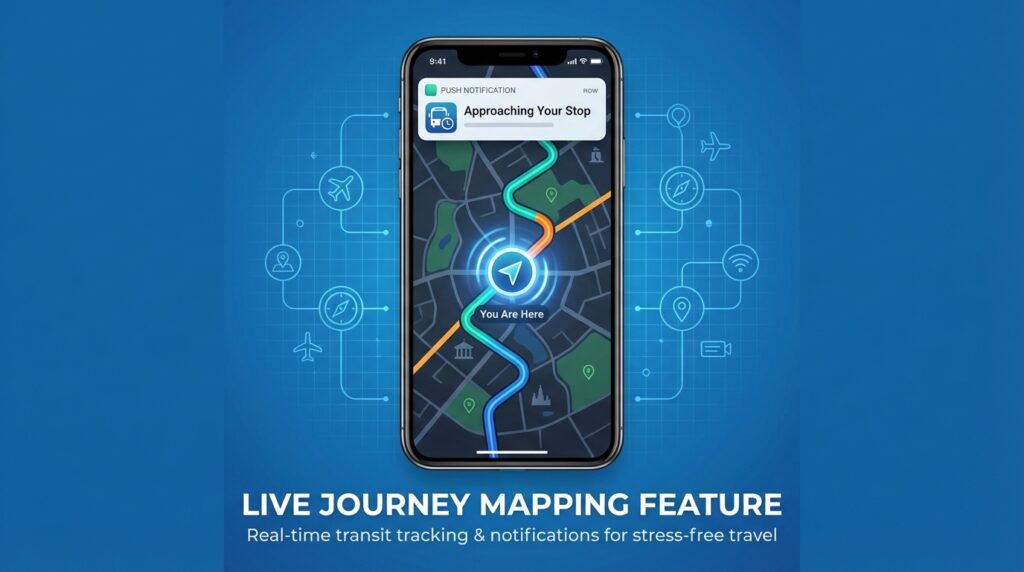
Have you ever fallen asleep on a train and woken up in a total panic, wondering if you missed your stop? The new Live Journey Mapping feature eliminates that anxiety. Once you input your destination, the app tracks your phone’s GPS location along the transit route. It shows your exact progress on a moving map and sends a push notification to your lock screen when your stop is approaching. It is like having a local guide tapping you on the shoulder to tell you when it is time to get off.
Handling Unpredictable Service Alerts and Delays
Public transit is a living, breathing machine. Sometimes, a train breaks down, or a massive crowd causes a delay. The app features a dedicated service alert tab that pushes real-time updates directly to your screen. If the Green Line heading to the Fair Park Fan Festival is experiencing a ten-minute delay, you will know about it before you even reach the station. This allows you to grab a quick coffee instead of standing on a crowded platform wondering where the train is.
Protecting Yourself When Cell Service Drops
We have to talk about the elephant in the room. What happens to your digital ticket when your smartphone loses its internet connection? During massive global sporting events, the local cell towers get completely overwhelmed by the crowds.
The Crucial Offline Ticket Window
The developers behind the GoPass app anticipated this exact problem. While the real-time tracking features absolutely require a data connection, your activated tickets do not. Once you activate your digital pass, the application stores the visual barcode in your phone’s offline cache. Even if you have zero bars of cell service while standing in a massive crowd after a match, you can still open the app and display your ticket for up to sixty minutes. This offline window is a total lifesaver when the networks inevitably crash.
Downloading Backup Timetable Apps
While your ticket is safe, your live maps will stop working without the internet. Smart travelers always have a backup plan. Before you leave for Texas, download a secondary tool like the Dallas Public Transport app. This specific application allows you to save PDF versions of the offline timetables and static system maps directly to your phone’s hard drive. When the internet fails, you can still check the train schedule manually, just like in the old days.
Your Digital Safety Net for Massive Crowds
Knowing how to ride the train is only half the battle. Surviving the chaotic exit from a massive stadium is the real challenge. When fifty thousand people all rush toward the same shuttle bus pickup zone, the environment becomes incredibly disorienting.
Related Post: How to Buy a Local Prepaid SIM Card at US Airports
Why You Need the Stadium Route App
This is exactly why you need to arm yourself with the ultimate offline tool. While you are downloading your transit apps, you absolutely must pre-download the Stadium Route app. We designed this digital ecosystem specifically to solve the logistical nightmare of navigating these massive 2026 matches.
Escaping the Digital Blackout with Confidence
When that final whistle blows and the cellular networks completely collapse, Stadium Route becomes your guiding light. Because our app is built to function entirely offline, it does not care if the local cell towers are jammed. You can instantly map out the exact location of the CentrePort shuttle buses, find the safest pedestrian walking paths away from the gridlocked vehicle traffic, and locate the nearest designated transit hubs. It seamlessly bridges the terrifying gap between your stadium seat and the safe, familiar doors of the DART train. You use Stadium Route to escape the chaos, and you use your GoPass app to ride comfortably back to your hotel.

Ending Lines
Navigating a sprawling city like Dallas during a massive global event does not have to be a miserable experience. By refusing to play the expensive rideshare game and embracing the power of the local public transit network, you take total control of your travel budget and your time. Downloading the GoPass app transforms your smartphone into an invincible digital ticket, while offline tools like Stadium Route guarantee that you will never get lost in a disconnected crowd.