 USA
USA Mexico
 Canada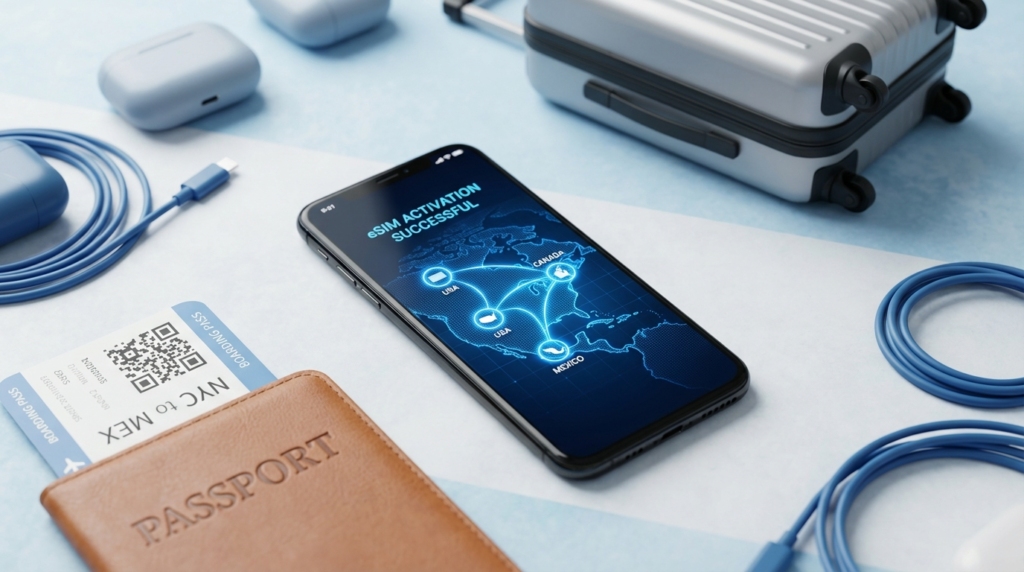
Imagine this scenario: You’ve just landed in Los Angeles for the opening week of the 2026 Tournament. You step off the plane, turn off “Airplane Mode,” and, ping!, your phone connects. You feel a wave of relief. But three weeks later, when you return home, you open your bill and see a charge that costs more than your match tickets.
This is the “Roaming Trap.”
For the 2026 games, the logistical challenge is unique. Unlike previous tournaments held in a single country (like Qatar or Germany), this event is spread across an entire continent. You might watch a group stage match in Toronto (Canada), fly to New York (USA) for the Round of 32, and then head down to Mexico City for a Quarter-Final.
Crossing three borders with a traditional phone plan is a recipe for financial disaster. Domestic carriers in Europe, South America, and Asia often charge between $10 and $15 per day for North American roaming. Do the math: a 30-day trip could cost you $450 just to keep your maps working.
There is a smarter way. The technology is called an eSIM, and specifically, a Regional North American eSIM. It is the single most important digital tool in your travel kit.
This guide is your complete playbook for staying connected across the USA, Canada, and Mexico without swapping SIM cards, losing your number, or going broke.
The Old Way vs. The Smart Way
To understand why the eSIM is a game-changer for this specific tournament, we have to look at how bad the alternatives are.
Option A: The “Home Carrier” Roaming
Most major carriers (Vodafone, Orange, Telstra, Jio, etc.) offer “Travel Passes.” They are convenient because you don’t have to change anything. But they are extortionate.
The Cost: Usually $10–$15 USD per day.
The Catch: They often throttle your speeds after 500MB. In a crowded stadium with 80,000 people trying to upload videos, 500MB disappears in minutes.
The Verdict: Only for fans who don’t care about money.
Option B: Buying Local SIM Cards
This is the “old school” backpacker method. You land in Mexico, buy a Telcel SIM. You fly to the US, throw that away, and buy an AT&T SIM. You fly to Canada, and buy a Rogers SIM.
The Problem: You lose your home phone number (so no 2-factor authentication texts from your bank). You waste time hunting for phone shops at airports. You pay activation fees three times.
The Verdict: Too much stress for a fast-paced tournament.
Option C: The Regional eSIM (The Winner)
An eSIM (Embedded SIM) is a digital software plan that you download to your phone. You don’t need to insert a piece of plastic. For 2026, providers have created North American Regional Plans.
How it works: You buy one digital plan. It connects to AT&T/T-Mobile in the US, Rogers/Bell in Canada, and Telcel/Movistar in Mexico.
The Magic: When your flight crosses the border, the eSIM automatically switches networks. You don’t do anything.
The Cost: Roughly $30–$50 USD for an entire month of data.
Top 3 Regional eSIM Providers for 2026
Not all eSIMs are created equal. Some prioritize speed, others price, and others “unlimited” data (which often has hidden limits). Here is the breakdown for the football traveler.
1. Airalo (The Reliable All-Rounder)
Airalo is the market leader for a reason. Their North American regional plan (often called “Americanmex”) is the gold standard for multi-country travel.
Best For: The average fan who wants a balance of price and performance.
The Network: They partner with top-tier carriers (usually AT&T in the US and Rogers in Canada), ensuring you get 5G signals in most stadium cities.
The App: Their app is incredibly user-friendly. You can track exactly how much data you have left. If you run low during a match, you can “top up” instantly with Apple Pay or Google Pay.
Pros: widely trusted, allows “hotspotting” (sharing data with your laptop or friend).
Cons: They don’t offer “true” unlimited data. You buy packages (e.g., 10GB, 20GB).
2. Holafly (The Data Hog)
If you plan to live-stream every goal, upload 4K videos to YouTube, and video call your family for hours, Holafly is your choice.
Best For: Heavy data users and content creators.
The Sell: They offer Unlimited Data plans. You pay for the number of days (e.g., 20 days of unlimited data). You never have to worry about running out.
The Catch: Strict Hotspot Rules. Unlike Airalo, Holafly often blocks or severely limits data sharing. If you plan to work from your laptop using your phone’s connection, this is a dealbreaker.
The Network: Excellent coverage, often using the same backbone networks as Airalo.
3. Jetpac (The “Peace of Mind” Option)
Jetpac is a rising star in the travel world and offers a unique feature that is perfect for safety-conscious fans.
Best For: Solo travelers and safety-first fans.
The “Emergency” Feature: Even if your data plan runs out, Jetpac often allows low-speed access to essential apps like reliable messaging services or maps. In a foreign city at 2 AM, this can be a lifesaver.
Continuity: They excel at the “handshake” between countries, reducing the “dead zone” time when you cross from San Diego (USA) to Tijuana (Mexico).
The “Stadium Test”: Will It Work Inside?
This is the question nobody asks until it’s too late. You are in SoFi Stadium or Estadio Azteca. There are 90,000 people. Everyone is trying to post a selfie. The network crashes.
The “Prioritization” Reality Cell towers have a VIP list.
First Class: Post-paid local customers (e.g., a local American with a monthly Verizon contract).
Economy: Pre-paid local customers.
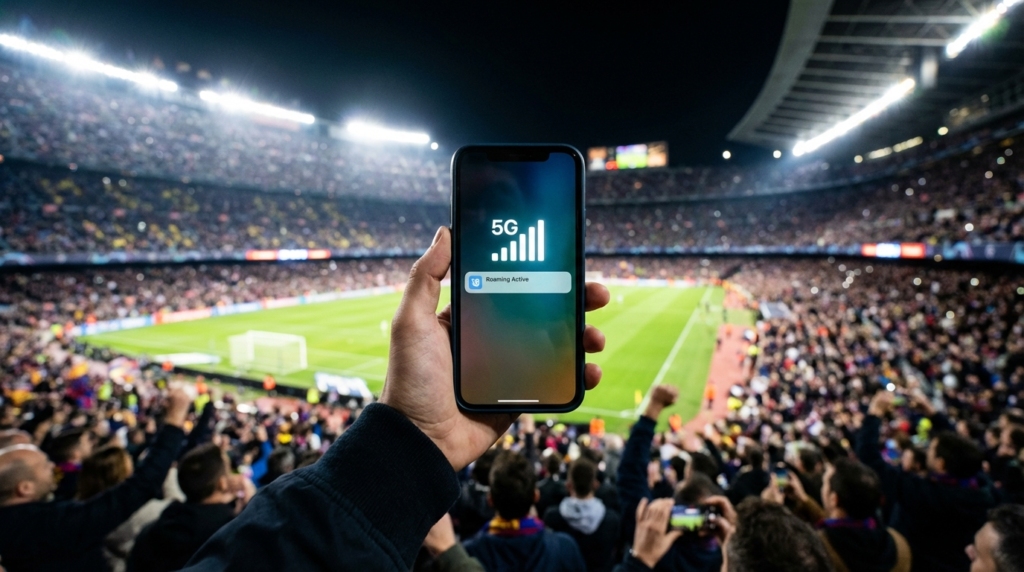
Standby: Roaming tourists (You).
When a network is congested, roaming eSIMs are often the first to be “deprioritized” (slowed down). How to beat this:
Enable 5G: Ensure your phone settings allow 5G. 4G/LTE bands get clogged first. 5G has much higher capacity.
Use Stadium Wi-Fi (Cautiously): Most 2026 venues (like AT&T Stadium in Dallas) have state-of-the-art Wi-Fi 6. Use it for heavy uploading, but always use a VPN to protect your data.
The “Switch” Trick: If your eSIM isn’t working, go into your settings. Most regional eSIMs have access to multiple carriers in one country (e.g., both T-Mobile and AT&T). Manually switch from one to the other. One might be less crowded than the other.
Step-by-Step Guide: Installing Your eSIM
Do not wait until you land. Airport Wi-Fi is notoriously bad, and you don’t want to be stressing about QR codes while standing at immigration.
Phase 1: Before You Fly (At Home)
Check Unlock Status: This is critical. Go to your phone settings.
iPhone: Settings > General > About. Scroll down to “Carrier Lock.” It must say “No SIM restrictions.” If it says “SIM Locked,” an eSIM will not work. Call your home carrier immediately to unlock it.
Purchase the Plan: Go to the Airalo, Holafly, or Nomad website. Buy the “North America Regional” plan.
Install (Don’t Activate): Follow the instructions to install the eSIM profile.
Most modern phones allow “Direct Install” via the app.
If not, they will email you a QR code. Scan it.
Label It: In your settings, rename this new line “2026 Trip” or “Travel Data.” Keep your main line labeled “Home.”
Phase 2: On the Plane
Turn Off “Data Roaming” for your Home SIM: Go to Settings > Cellular > Home SIM. Toggle OFF Data Roaming. This ensures your home carrier can’t charge you a penny for data.
Turn On Your eSIM: Go to Settings > Cellular > “2026 Trip” SIM. Toggle ON “Turn On This Line.”
Enable Roaming for the eSIM: Crucial step! For the eSIM to work, you must toggle ON “Data Roaming” inside the eSIM settings. (Don’t worry, you’ve already paid for the data, so this doesn’t cost extra).
Phase 3: Landing
When the wheels touch down, disable Airplane mode.
Your phone will take about 2–5 minutes to find the local signal. Be patient.
You will see two signal bars.
Bar 1 (Home): Should be empty or showing signal but no data (because you turned off roaming).
Bar 2 (eSIM): Should show LTE or 5G.
Open Google Maps. If it loads, you’re safe.
Country-Specific Field Notes
Each of the three host nations has a different telecommunications landscape. Here is what to expect on the ground.
The USA: The 5G Powerhouse
The Experience: Fast, ubiquitous, but full of “dead spots” in rural areas.
The Carriers: Your eSIM will likely connect to T-Mobile or AT&T. Verizon is harder for international phones to access due to legacy CDMA technology (though this is changing).
Watch Out For: Subways. unlike Europe or Asia, many US subway systems (like the NYC Subway) have spotty or zero signal in the tunnels between stations. Download offline maps for transit.
Mexico: The Coverage Gap
The Experience: Excellent in cities, non-existent on the highways.
The Carriers: Telcel is the king. It is the only network that works reliably inside concrete stadiums like Azteca. If your eSIM connects to “Movistar” or “AT&T Mexico” and the signal is weak, manually force it to switch to Telcel.
Watch Out For: “Extended LTE.” In rural Mexico, your phone might show signal, but data won’t move. This is common on the bus rides between cities. Always have entertainment downloaded offline.
Canada: The High-Cost Zone
The Experience: Very fast, very reliable, incredibly expensive for locals (but fine for you with an eSIM).
The Carriers: Rogers, Bell, and Telus. They share towers, so coverage is almost identical.
Watch Out For: The cold (if you visit the Rockies). Batteries drain faster, and signal chips can struggle in extreme temps, though the summer tournament makes this less of an issue.
The “What If?” Troubleshooting Guide
Even the best tech fails. Here is your emergency repair kit.
“My Data Stopped Working Suddenly!”
Toggle Airplane Mode: Turn it on for 10 seconds, then off. This forces the phone to re-register with the nearest tower.
Check the APN: Sometimes, the “Access Point Name” (APN) settings get reset. Go to your eSIM provider’s app. They will list the correct APN (usually something simple like “globaldata”). Copy and paste that into your settings.
Restart: It sounds stupid, but it solves 90% of eSIM glitches.
“I Can’t Make Phone Calls!” Most travel eSIMs are Data Only. They do not come with a phone number.
The Solution: Use WhatsApp, FaceTime Audio, or Messenger for all your calls.
The “Real Phone” Need: If you need to call a restaurant or Uber driver who doesn’t have WhatsApp, use Skype. Load $5 of credit onto a Skype account. It allows you to call real phone numbers over the internet for pennies.
“I Ran Out of Data!” Don’t panic. You don’t need a new eSIM.
Open your provider’s app (Airalo/Holafly).
Select “My eSIMs.”
Tap “Top Up.”
Buy another 1GB or 5GB. It activates instantly.
Data Saving Hacks for the Football Traveler
You bought 10GB. Let’s make it last the whole month.
Low Data Mode: Turn this on immediately. (Settings > Cellular > Data Mode > Low Data Mode). It stops your phone from doing “sneaky” things like updating apps or syncing high-res photos to the cloud while you are walking around.
Map Hygiene: Download “Offline Maps” for Mexico City, New York, and Toronto while you are on hotel Wi-Fi. Google Maps uses a lot of data to load map layers. If the map is on your drive, you only use data for traffic updates (tiny usage).
Social Media Settings: Go into Instagram, TikTok, and X (Twitter). Set “Video Autoplay” to OFF or “Wi-Fi Only.” Scrolling through a feed where every video auto-plays is the fastest way to kill your data plan.
The “Wi-Fi Assist” Trap: On iPhones, there is a setting called “Wi-Fi Assist.” It uses cellular data when Wi-Fi is weak. Turn it off. It is a notorious data vampire.
Final Words
The 2026 tournament is about movement. It’s about the energy of moving from the high-altitude roar of the Azteca to the futuristic shine of SoFi Stadium. It’s about crossing borders to follow the beautiful game.
Your phone is your lifeline. It holds your match tickets, your boarding passes, your hotel bookings, and your connection to friends back home. Don’t leave it to chance, and definitely don’t leave it to your home carrier’s expensive roaming fees.
Get a regional eSIM. Install it before you pack your bags. Test it when you land. Then, put the phone in your pocket and look up at the pitch. You didn’t come all this way to stare at a loading screen. You came to see history.